This article was published over 2 years ago. Some information may be outdated.
Imagine you are building a website that downloads videos from several providers such as Youtube, Vimeo, etc. It all starts by asking the guest to enter a valid video link. Then the website downloads that video file and sends it back to the browser.
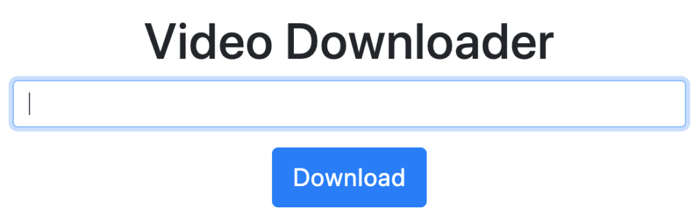
Without a queueing system, this is impossible to build reliably.
Why is queueing important?
Heavy processing requests need to run asynchronously so the user does not wait an unreasonable amount of time for the browser to return the requested file.
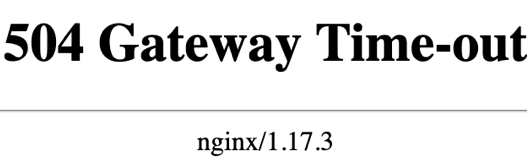
On top of that, if the user requests a large file, they will get a 504 Gateway Time-out error because the request cannot complete within the server's time limit.
So how do you improve your website by running time-consuming processes in the background?
Sync. vs Async.
Before getting into Laravel queues, you need to understand two terms.
Synchronous (abbr. sync): when you execute something synchronously, you wait for it to finish before moving on to another task.
The sign-up process is a good example. When the user signs up, she waits until her data is saved to the database and then she is notified immediately.
Asynchronous (abbr. async): when you execute something asynchronously, you can move on to another task before it finishes.
An example is uploading a video file on YouTube. It takes time for YouTube to finish processing the video file.
This post shows you how to build a YouTube downloader using queues.
Building a video downloader
Time to put queues into practice by creating a real project.
In this project, I will be using youtube-dl to download the videos. youtube-dl supports a variety of websites, such as Youtube, Vimeo, Facebook, etc. I assume you have youtube-dl installed on your computer.
Start by creating a new Laravel project:
laravel new video-downloader
cd video-downloader
Refer to the documentation to install the Laravel installer.
You need at least two controllers -- one for viewing the home page and another to handle video requests:
php artisan make:controller HomeController
php artisan make:controller DownloaderContoller
You need to store the downloaded videos somewhere in the project. Create a new folder named downloads inside the storage/app/public folder:
mkdir storage/app/public/downloads
php artisan storage:link
Replace the routes/web.php file with the following contents:
Route::get('/', 'HomeController')->name('home');
Route::post('prepare', 'DownloaderController@prepare')->name('prepare');
Route::get('status/{video}', 'DownloaderController@status')->name('status');
Route::get('download/{video}', 'DownloaderController@download')->name('download');
Create a new view named base.blade.php with the following contents:
<!DOCTYPE html>
<html lang="{{ str_replace('_', '-', app()->getLocale()) }}">
<head>
    <meta charset="utf-8">
    <meta name="viewport" content="width=device-width, initial-scale=1">
    <title>Video downloader</title>
    <link rel="stylesheet" href="https://stackpath.bootstrapcdn.com/bootstrap/4.4.1/css/bootstrap.min.css"
          integrity="sha384-Vkoo8x4CGsO3+Hhxv8T/Q5PaXtkKtu6ug5TOeNV6gBiFeWPGFN9MuhOf23Q9Ifjh" crossorigin="anonymous">
</head>
<body>

<main role="main">
    <div class="container">
        <div class="row">
            <div class="col-6 text-center" style="margin: 0 auto;">
                <h1 class="mt-5">@yield('title')</h1>
                @yield('content')
            </div>
        </div>
    </div>
</main>

</body>
</html>
Create a new view named home.blade.php with the following contents:
@extends('base')
@section('title', 'Video Downloader')

@section('content')
    <form method="post" action="{{ route('prepare') }}">
        @csrf

        @if(Session::has('error'))
            <div class="alert alert-danger">{{ Session::get('error') }}</div>
        @endif

        <div class="form-group">
            <input name="url" type="text" required class="form-control @error('url')  is-invalid @enderror" id="url"
                   aria-describedby="url" value="{{ old('url') }}"
                   autocomplete="off" autofocus>

            @error('url')
                <div class="invalid-feedback">{{ $message }}</div>
            @enderror
        </div>

        <div class="text-center">
            <button class="btn btn-lg btn-primary">Download</button>
        </div>
    </form>
@endsection
Open the DownloaderController and replace it with the following contents:
<?php

namespace App\Http\Controllers;

use Illuminate\Http\Request;
use Symfony\Component\Process\Process;

class DownloaderController extends Controller
{
    public function prepare(Request $request)
    {
        $this->validate($request, [
           'url' => 'required'
        ]);

        try {
            $process = new Process([
                'youtube-dl',
                $request->url,
                '-o',
                storage_path('app/public/downloads/%(title)s.%(ext)s')
                , '--print-json'
            ]);

            $process->mustRun();

            $output = json_decode($process->getOutput(), true);

            if (json_last_error() !== JSON_ERROR_NONE) {
                throw new \Exception("Could not download the file!");
            }

            return response()->download($output['_filename']);

        }  catch (\Throwable $exception) {
            $request->session()->flash('error', 'Could not download the given link!');
            logger()->critical($exception->getMessage());
            return back();
        }
    }
}
--print-json instructs youtube-dl to output the video information in JSON format while the video is still being downloaded. This information gets saved to the database for future use such as getting the video title, thumbnail, etc.
Run the project with php artisan serve.
Try entering some valid video links (from Youtube, Vimeo, Facebook, etc.).
Depending on your internet connection and the video size, it takes a few seconds to download the video and then send it back to the user.
Multiple users hitting the website at the same time makes it impossible to handle all these connections synchronously without crashing the web server.
Here is how to improve this by running it asynchronously.
Setting up the queues
Working with queues in Laravel is straightforward.
The whole idea behind queues is that you tell Laravel to run a specific job in the background instead of running it synchronously. Laravel runs the job and lets you know whether it succeeded or not.
Laravel supports a variety of queue drivers that can be configured in the app/queue.php file. Laravel supports Redis, database, Amazon SQS, and Beanstalkd out of the box.
The queue driver is set by modifying the QUEUE_CONNECTION in the .env file. By default, QUEUE_CONNECTION is set to sync, which means no queuing.
You are free to use whatever driver suits you. For this post, I will use the database driver. Open your .env file and change QUEUE_CONNECTION to database.
To use the database driver, you need a table that holds the jobs. Create it by running php artisan queue:table followed by php artisan migrate.
Dispatching Jobs
The dispatching term refers to running a piece of code asynchronously (though that is not always the case).
You can use the dispatch helper to run any piece of code asynchronously. The queue picks up your code and runs it later.
"Later" is not always the case. If QUEUE_CONNECTION in the .env file is set to
sync, no jobs will be queued, and all dispatched jobs run immediately. This is helpful while testing -- look at the phpunit.xml and you will see that the queue is set to sync.
Try the dispatch helper. Open your routes/web.php and add the following route:
# routes/web.php
Route::get('/queue', function() {
    dispatch(function() {
        logger('Running our first job!');
    });
});
Hit this route. Nothing happens because there is no worker running yet. Before I show you how to fix that, here are the other options the dispatch function provides.
| Option | Description |
|---|---|
delay |
Use this function to run the job at a specific date/time. |
onQueue |
You can have different queues for different purposes, such as emails, videos, etc. The queue is just a name for categorizing your jobs. If you do not specify any value, the default value will be used. |
In the database case, Laravel stores all the jobs in the jobs table. Here is what it contains.

There is one non-executed job. Since there is no running worker yet, this job will never execute.
You can also use Job::dispatch() which does the exact same thing as the dispatch helper.
Use job classes instead of closures. I will show you how to do that next.
Workers
The worker is a daemon running in the background.
The sole responsibility of the worker is to pick up the next available job and execute it either immediately or after a specific date/time (if delay has been applied).
Run the worker:
php artisan queue:work
If the job executes successfully, you will see a new log entry in storage/logs/laravel.log:
[2020-02-28 12:05:02] local.DEBUG: Just for testing. 2020-02-28 12:05:02
You can specify the queue name while running the worker. This is useful when you have multiple queues:
# Only emails queue
php artisan queue:work --queue="emails"

# Run emails jobs first and then pickup the videos jobs
php artisan queue:work --queue="emails,videos"
You can instruct the worker to only run the next available job by using --once. This command is useful when the worker is not running.
Job classes
In addition to closures, dispatch can take an object that implements the Illuminate\Contracts\Queue\ShouldQueue interface. You can create your own class that implements the ShouldQueue interface or use php artisan make:job to have Laravel generate it for you.
Put the video downloading code into a dedicated job:
php artisan make:job DownloadVideo
Laravel stores all the jobs in the app/Jobs folder.
The handle method is responsible for executing the job. All your job's code must be inside this method; otherwise, the job will not execute.
The handle method is resolved by the container, meaning you can use dependency injection to resolve other classes:
public function handle(FileSystem $fileSystem)
{
    // Use filesystem here.
}
The job class uses the Dispatchable trait, which means you can dispatch the job directly from the class itself, without passing it to the dispatch() or Job::dispatch functions:
DownloadVideo::dispatch();
If you do not want to dispatch your jobs this way, remove the Dispatchable trait. I prefer dispatching the job directly from the class, but it is a preference, not a best practice.
The video model
Since the video will be downloaded asynchronously, you need a way to keep track of it.
When the user enters a video link and hits Download, save the video link to the database and push it to the queue.
The queue picks up the job, runs it, and based on the information from youtube-dl, it sets the video's status to one of these values: in_progress, completed, or failed. It also stores the video's information (thumbnail, title, description, etc).
Create the Video model:
php artisan make:migration create_videos_table
public function up()
{
    Schema::create('videos', function (Blueprint $table) {
        $table->uuid('id')->unique();
        $table->string('url');
        $table->enum('status', ['in_progress', 'failed', 'completed'])->default('in_progress');
        $table->json('info')->nullable();
        $table->timestamps();
    });
}
bash php artisan make:model Video
<?php

namespace App;

use Illuminate\Database\Eloquent\Model;

class Video extends Model
{
    protected $keyType = 'uuid';

    public $incrementing = false;

    protected $guarded = [];

    public function getInfoAttribute($value)
    {
        return json_decode($value, false, JSON_THROW_ON_ERROR);
    }
}
Downloader Job
The downloader job is responsible for downloading the given video by calling the youtube-dl command.
If the download succeeds, it updates the video's status and inserts the video's information.
php artisan make:job DownloadVideo
<?php

namespace App\Jobs;

use App\Video;
use Illuminate\Bus\Queueable;
use Illuminate\Contracts\Queue\ShouldQueue;
use Illuminate\Foundation\Bus\Dispatchable;
use Illuminate\Queue\InteractsWithQueue;
use Illuminate\Queue\SerializesModels;
use Symfony\Component\Process\Process;
use Throwable;

class DownloadVideo implements ShouldQueue
{
    use Dispatchable, InteractsWithQueue, Queueable, SerializesModels;

    /**
     * @var Video
     */
    private $video;

    /**
     * Create a new job instance.
     *
     * @param Video $video
     */
    public function __construct(Video $video)
    {
        $this->video = $video;
    }

    /**
     * Execute the job.
     *
     * @return void
     * @throws \Exception
     */
    public function handle()
    {
        $process = new Process([
            'youtube-dl',
            $this->video->url,
            '-o',
            storage_path('app/public/videos/%(title)s.%(ext)s')
            , '--print-json'
        ]);

        try {
            $process->mustRun();

            $output = json_decode($process->getOutput(), true);

            if (json_last_error() !== JSON_ERROR_NONE) {
                $this->video->status = 'failed';
            } else {
                $this->video->status = 'completed';
                $this->video->info = $output;

                $this->video->save();
            }
        } catch (Throwable $exception) {
            $this->video->status = 'failed';
            $this->video->save();
            logger(sprintf('Could not download video id %d with url %s', $this->video->id, $this->video->url));

            throw new $exception;
        }
    }
}
Dispatching the job through the DownloaderController
Open the DownloaderController and replace its contents with the following:
<?php

namespace App\Http\Controllers;

use App\Jobs\DownloadVideo;
use App\Video;
use Illuminate\Http\Request;
use Illuminate\Support\Str;

class DownloaderController extends Controller
{
    public function prepare(Request $request)
    {
        $this->validate($request, [
           'url' => 'required|url'
        ]);

        $video = Video::create([
            'url' => $request->input('url')
        ]);

        DownloadVideo::dispatch($video);

        return redirect()->route('status', ['video' => $video]);
    }

    public function status(Video $video)
    {
        return view('status', ['video' => $video]);
    }

    public function download(Video $video)
    {
        abort_if($video->status !== 'completed', 404);

        return response()->download($video->info->_filename);
    }
}
Here is what each action does:
- prepare: stores the requested video in the database and passes it to the DownloadVideo job.
- status: shows the video's status. If the video was downloaded, the download link is presented.
- download: downloads the requested video by reading the _filename property from the stored JSON object returned by youtube-dl.
Create a new file named status.blade.php and replace its contents with the following:
@extends('base')

@section('content')

    @if ($video->status == 'completed')
        <h3>{{ $video->info->title }}</h3>
        <img src="{{ $video->info->thumbnail }}">
        <h3>Click <a href="{{ route('download', ['download' => $video]) }}">here</a> to download it</h3>
    @endif

    @if($video->status == 'in_progress')
        <h3>Download in progress..</h3>
        <p>Please <a href="javascript:;" onclick="window.reload()">refresh</a> this page in a few seconds.</p>
    @endif

    @if ($video->status == 'failed')
        <h3>Download failed!</h3>
        <p>Please try again, if the problem persist, then please contact us.</p>
    @endif

@endsection
Go ahead and download some videos.
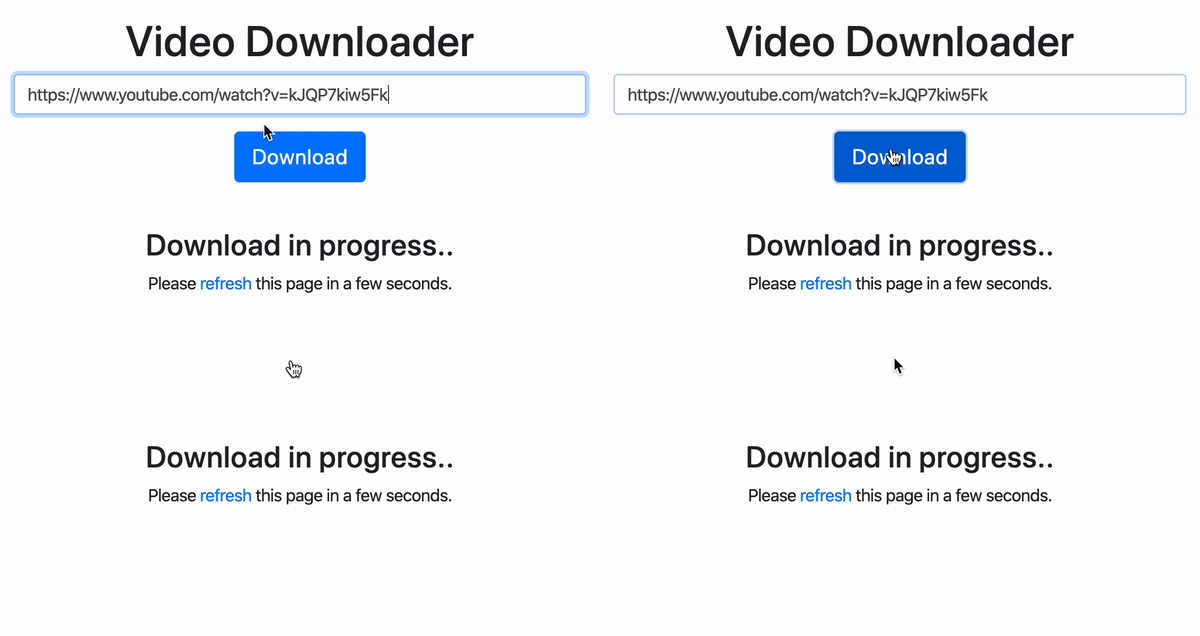
Instruct the worker to pick up only the first available job:
php artisan queue:work --once
Wait until the job finishes:

Go back to the browser and refresh the page:
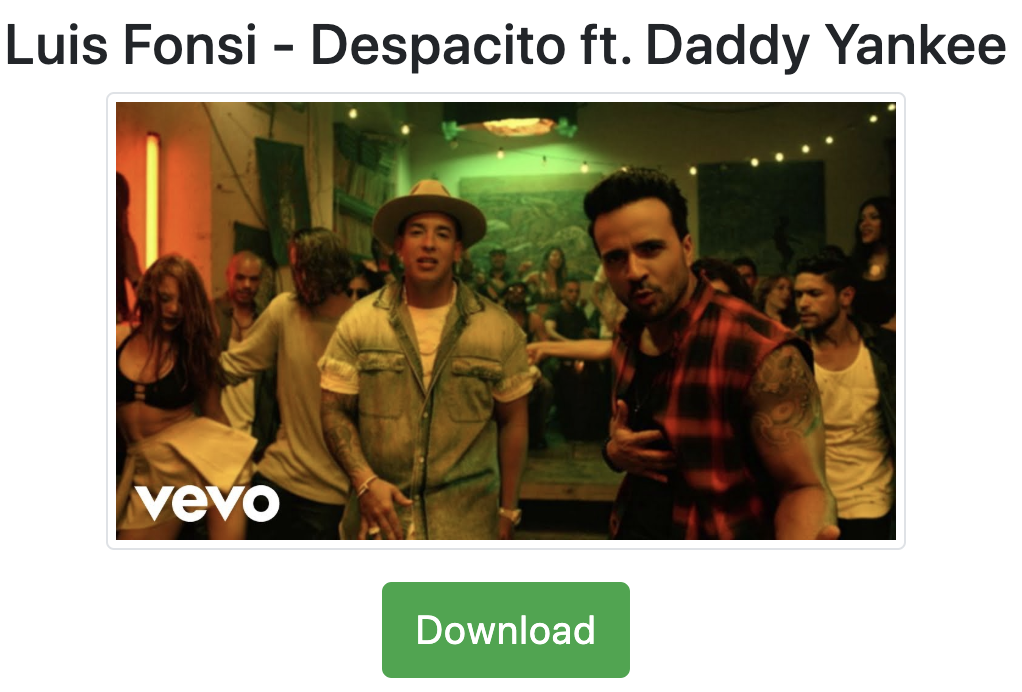
Click Download.
Error Handling
What if youtube-dl cannot download the requested video? What happens in that case?
If you look at the DownloadVideo job, the process is set to mustRun, so if it fails, an exception of type ProcessFailedException will be thrown.
If an exception is thrown while the job is being processed, the job will automatically be released back onto the queue so it can be attempted again.
You can instruct Laravel to retry the failed job a certain number of times, either by instructing the worker or by using the $tries property on the job:
php artisan queue:work --retry=3
class DownloadVideo implements ShouldQueue
{
     public $tries = 3;
}
Laravel stores failed jobs in the failed_jobs table. Inspect this table to get more information about your failed jobs.
Testing
By default, the QUEUE_CONNECTION option is set to sync in the phpunit.xml file, meaning jobs run immediately with no queuing:
<server name="QUEUE_CONNECTION" value="sync"/>
Since the video is downloaded from the internet, you need a way to mock it. Laravel provides job faking capability out of the box.
Here is a simple unit test that tests the prepare action:
php artisan make:test DownloadVideoTest
Replace tests/Feature/DownloadVideoTest with the following contents:
<?php

namespace Tests\Feature;

use App\Jobs\DownloadVideo;
use Illuminate\Foundation\Testing\RefreshDatabase;
use Illuminate\Foundation\Testing\WithFaker;
use Illuminate\Support\Facades\Bus;
use Illuminate\Support\Facades\DB;
use ReflectionClass;
use Tests\TestCase;

class DownloadVideoJobTest extends TestCase
{
    use RefreshDatabase, WithFaker;

    /** @test */
    public function ensure_the_video_download_job_is_dispatched()
    {
        Bus::fake();

        $url        = $this->faker->url;
        $response   = $this->post(route('prepare'), compact('url'));
        $video      = DB::table('videos')->where('url', $url)->first();

        $response->assertRedirect(route('status', ['video' => $video->id]));
        $response->assertSessionHasNoErrors();

        Bus::assertDispatched(DownloadVideo::class, function($job) use ($video) {
            return $this->getPrivateProperty($job, 'video')->id === $video->id;
        });
    }

    protected function getPrivateProperty(object $obj, string $property)
    {
        $reflection = new ReflectionClass($obj);
        $privateProperty = $reflection->getProperty($property);
        $privateProperty->setAccessible(true);

        return $privateProperty->getValue($obj);
    }
}
Run the test:
./vendor/bin/phpunit
Here is what this code does.
First, Bus::fake() prevents the job from actually being dispatched.
Using Bus::assertDispatched, you assert that the DownloadVideo job was dispatched.
Bus::assertDispatched takes a closure that receives the actual job as its first parameter, so you can compare the dispatched video with the one that was created.
The $this->getPrivateProperty(...) line needs explanation:
return $this->getPrivateProperty($job, 'video')->id === $video->id;
Since the $video property is private, you need a way to make it publicly accessible so you can read its value. The reflection class handles this.
Deploying
Docker is widely used, and many people use supervisor to manage multiple processes. If that is your case, put the Laravel worker into supervisor. This approach is thoroughly explained in the Laravel documentation.
If you do not use Docker, you can run the worker with systemd.
Use Laravel Horizon if you use Redis as a queuing driver.
Summary
- Queues run time-consuming tasks asynchronously -- the user gets an immediate response while the heavy processing happens in the background.
- The dispatch helper and job classes are the two ways to queue work -- closures work for quick tasks, but dedicated job classes are the right choice for anything non-trivial.
- Workers are daemons that execute queued jobs -- run them with
php artisan queue:workand use--queueto prioritize specific queues. - Bus::fake() makes queue testing straightforward -- you can assert that jobs were dispatched without actually executing them.
- Failed jobs are retried automatically -- configure
$trieson the job or pass--retryto the worker command, and inspect thefailed_jobstable for debugging.