If you are building AI features in Laravel, you probably know how messy things get once you start calling multiple providers.
You call OpenAI for chat completions, Anthropic for some tasks, maybe ElevenLabs for text-to-speech. Each provider has its own pricing model, its own way of reporting usage, and its own dashboard.
Now multiply that by the number of users in your application. How much is user X spending? How many tokens did team Y consume this month? Which model is burning through your budget the fastest?
I could not find a good answer to these questions. So I built Laravel Spectra.
What is Spectra?
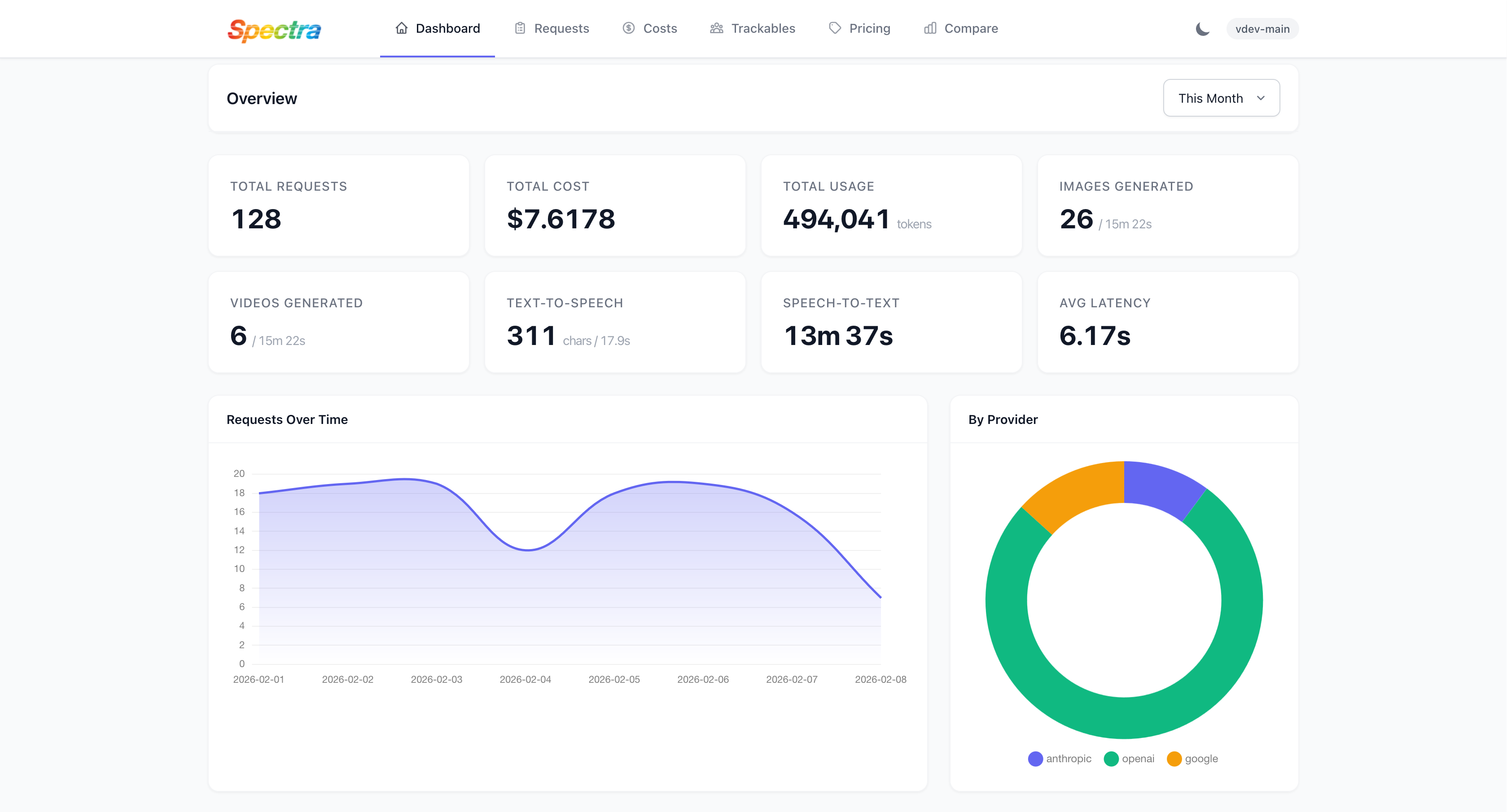
Spectra is a Laravel package for AI observability. It tracks every AI request your application makes, calculates costs, enforces budgets, and gives you a dashboard to inspect everything.
The idea is simple: install the package and it starts working. No code changes required.
Installation
composer require spectra-php/laravel-spectra
Then run the installer:
php artisan spectra:install
This publishes the config file, migrations, and runs the migrations for you.
That is it. Spectra is now tracking your AI requests.
Now, you may access the dashboard via https://yoursite.com/spectra:
How it works
Spectra ships with watchers that intercept outgoing HTTP requests automatically. It supports:
- OpenAI PHP SDK
- Laravel AI
- Prism PHP
- Laravel's HTTP client
- Raw Guzzle clients
The watchers identify providers by hostname (like api.openai.com or api.anthropic.com) and extract usage metrics including tokens, cost, latency, and status.
You do not need to change your existing code. If you are already calling OpenAI like this:
$result = OpenAI::chat()->create([
    'model' => 'gpt-4o',
    'messages' => [
        ['role' => 'user', 'content' => 'Hello'],
    ],
]);
Spectra picks it up automatically.
Manual tracking
If you need more control, use Spectra::track():
use Spectra\Facades\Spectra;

$result = Spectra::track('openai', 'gpt-4o', function ($ctx) {
    $ctx->addTag('release-summary');

    return OpenAI::chat()->create([
        'model' => 'gpt-4o',
        'messages' => $messages,
    ]);
});
You can attach tags, metadata, and associate requests with specific users or teams.
Budgets
This is the feature I am most proud of.
You can set spending limits per user, team, or any Eloquent model:
$user->configureAiBudget()
    ->monthlyCostLimitInCents(20000)
    ->warningThresholdPercentage(75)
    ->hardLimit()
    ->save();
When the budget is exceeded, the spectra.budget middleware returns a 429 response. You also get events like BudgetThresholdReached and BudgetExceeded so you can notify users before they hit the wall.
No more surprise bills at the end of the month.
Multi-unit pricing
Different AI operations use different pricing units. Text completions are priced per token. Image generation is priced per image. Text-to-speech is priced per character or audio duration.
Spectra handles all of these. It supports OpenAI batch, flex, and priority tiers, plus Anthropic batch pricing.
Streaming support
If you are using streaming responses (SSE), Spectra tracks those too. It measures time-to-first-token latency, which is useful for understanding the user experience.